2FA for WordPress Login
Require users to enter a 2FA code to complete the login process.
General Plugins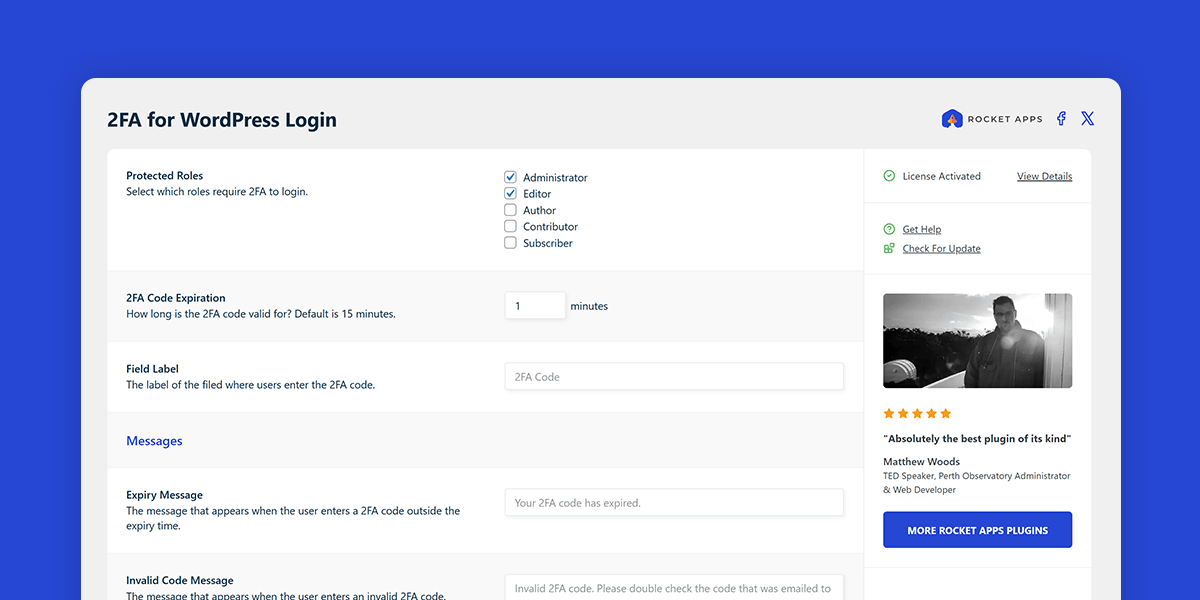
What does this plugin do?
This plugin adds an extra layer of protection by requiring users to enter a one-time code sent to their email before completing the login process.
It’s easy to set up, lightweight, and built to enhance your site’s security without complicating the login experience.
Features
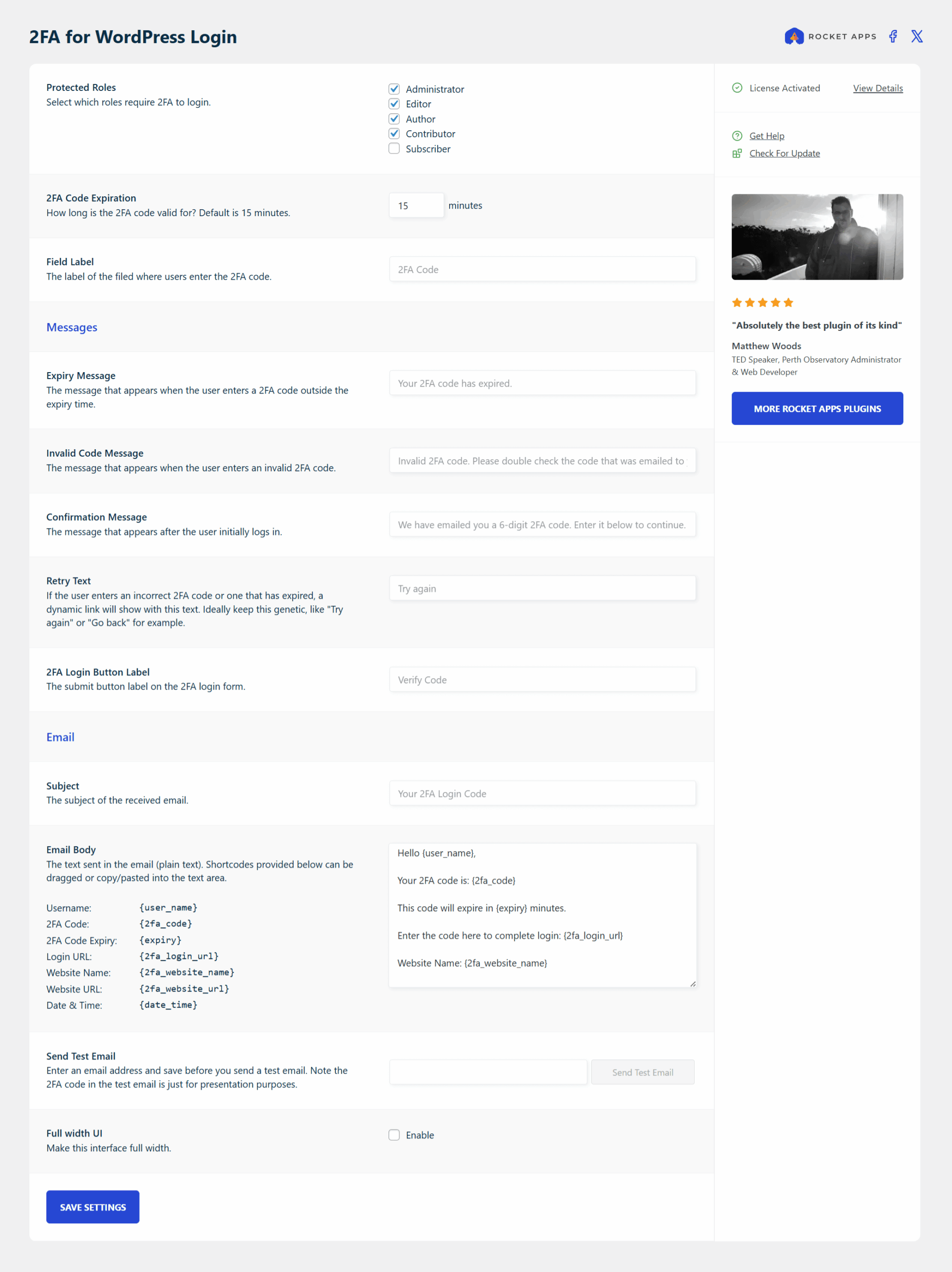
Customise the 2FA messages
Make the login flow your own by editing the text shown to users during the 2FA process.
2FA code expiry
Limit how long 2FA codes are valid for.
Customise the email
Tweak the subject and content of the email your users receive.
Send a test email
Quickly check the email presentation by sending yourself a test message.
Force 2FA by role
Decide who needs 2FA, whether it’s everyone, just admins, shop managers, or any other roles on your site.
Where do I enter my license key?
Go to Settings -> 2FA for WordPress and enter your license key into the field in the right pane. Once activated, the page will reload and the settings interface will appear.
What does the 'Unlink License' button do?
If you want to use the plugin on a different domain, you’ll need to deactivate the license on the current domain first.
Clicking ‘Unlink License’ will ask you to confirm before unlinking your license from this domain, making the plugin available for activation on another site.
Is the plugin price a one-time payment or an annual subscription?
The choice is yours.
Your purchase includes 12 months of updates and support, ensuring you always have access to the latest features, improvements, and support when you need it.
After this period you can optionally renew your license to continue receiving updates and support. Even with an expired license the plugin will always keep working without interruption, but an active license ensures your site stays secure, compatible, and running at its best.
Without renewal, you won’t receive future updates or have access to support until your license is reactivated.
For the best experience and peace of mind, it’s always recommend to renew your license. Renewal extends your updates and support for a further 12 months from the renewal date.
Changelog
1.1.0 (28th February 2026)
- General maintenance.
1.0.0 (8th September 2025)
- Initial release

- Version: 1.1.0
- Updated: February 28, 2026
- Required: WordPress 6.0
New! Pay in 4 with PayPal
Split 4 payments over 6 weeks

Shop With Confidence Get a refund within 30 days, no questions asked.
Help Topics