Notely Pro
Introduces a user-friendly space for note-taking and checklist management on any page, post, or custom post type.
Notely Pro
Introduces a user-friendly space for note-taking and checklist management on any page, post, or custom post type.
Pro Plugins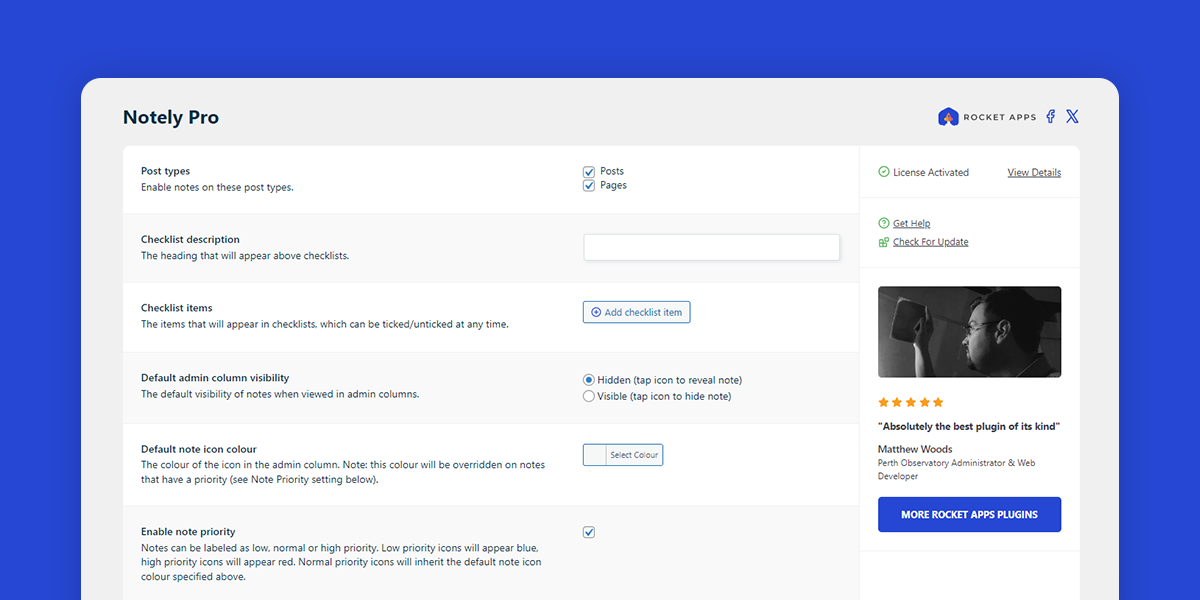
What does Notely Pro do?
Notely Pro adds a convenient area for taking notes and ticking off checklist items on any page, post or custom post type.
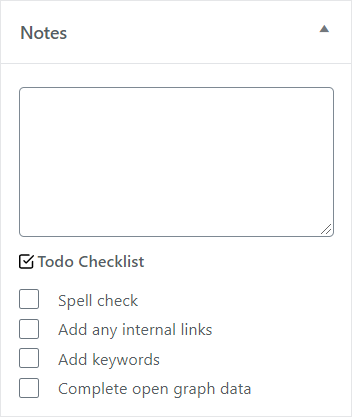
Using the checklist feature can also be especially helpful in an environment where authors can be reminded to perform specific tasks within their publications.
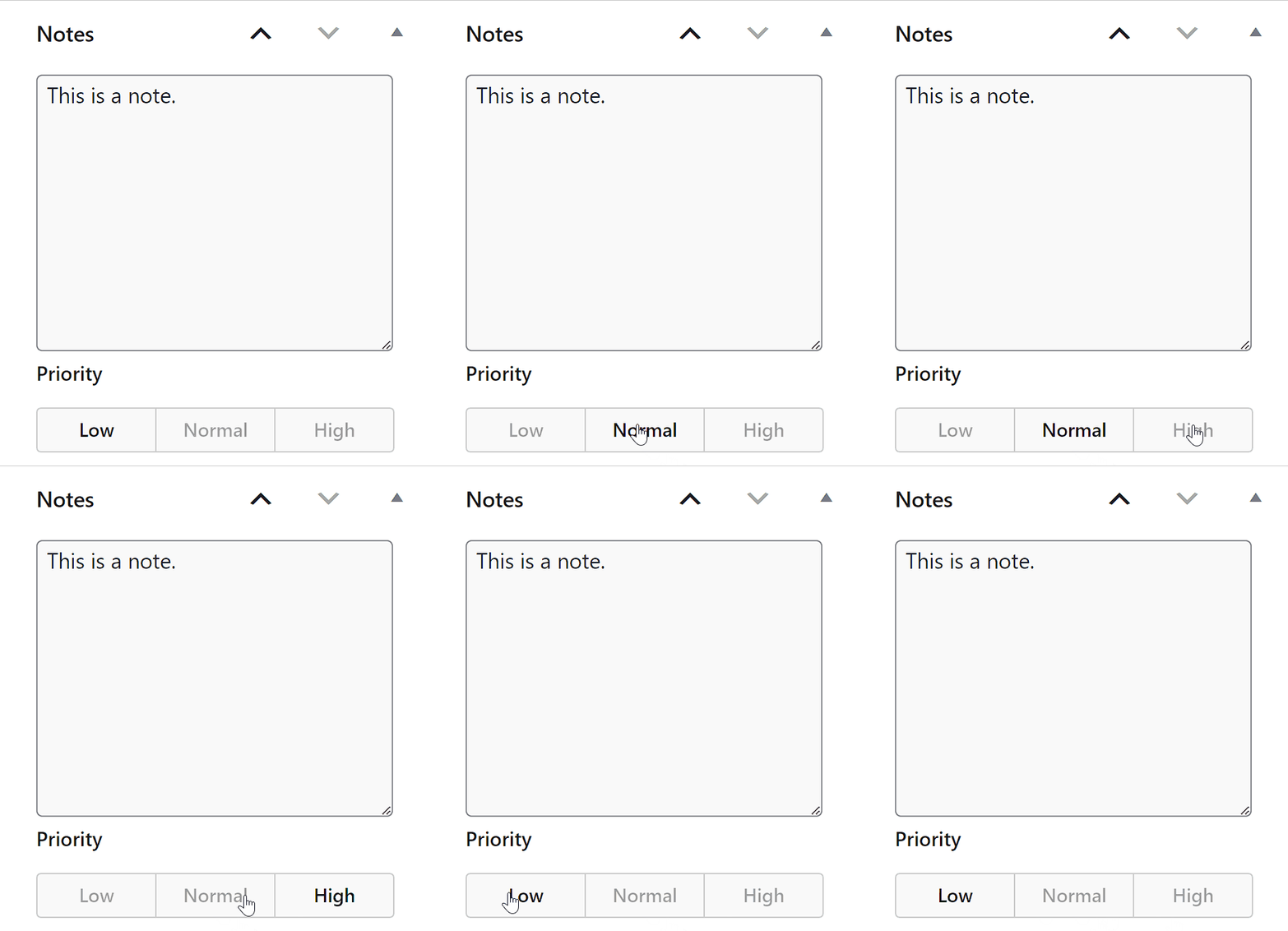
New in version 1.4.0: Optionally enable note priorities, allowing notes to be labelled as low, normal or high priority.
How can I customise the checklist items?
Simply go to Settings -> Notelty Pro and start adding checklist items.
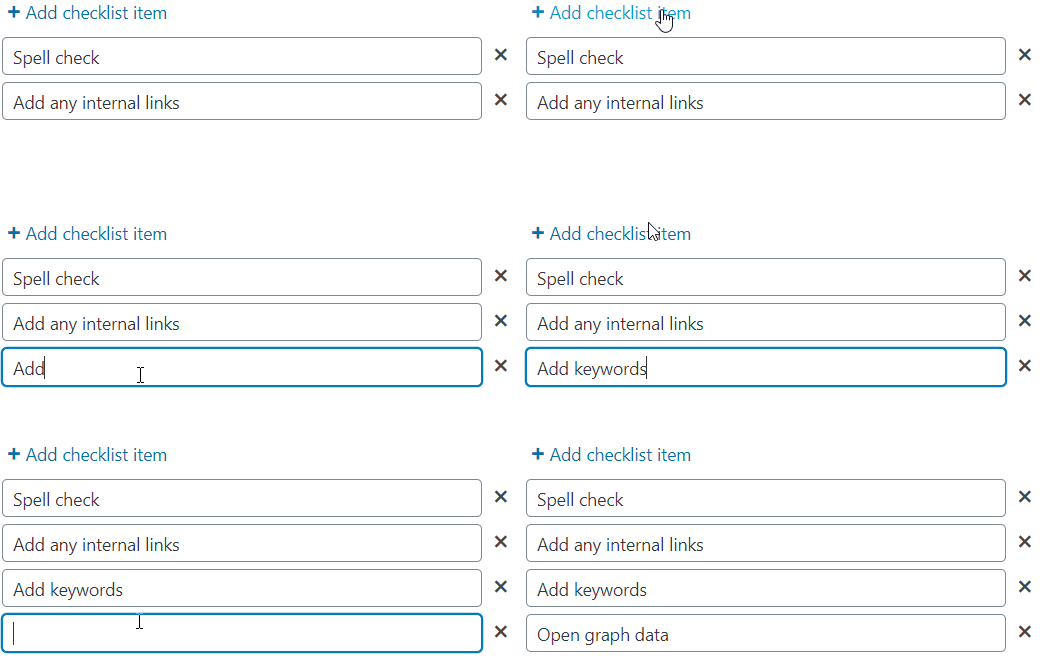
These checklist items will appear below your notes.
Who can access notes?
Note are made available to these roles:
- Editor
- Post Author
- Administrator
- Shop Managers (if using WooCommerce)
Only Administrators can modify Notely Pro settings.
How to install Notely Pro
Once you have logged in and downloaded notely-pro.zip, there are a couple of ways you can install the plugin.
- FTP
Unzip the notely-pro.zip file you downloaded, then, using an FTP client, upload the notely-pro folder into the wp-content/plugins directory
- WordPress upload interface
Login to WordPress admin, go to Plugins -> Add New and then click the Upload Plugin button. Then browse for the notely-pro.zip file you downloaded and follow the remaining on-screen steps.
Don’t forget to deactivate the free version of Notely if you are currently using it.
How many websites can I use Notely Pro on?
A single site license allows Notely Pro to be used on a single domain, although you can purchase a multiple site license if desired.
Where do I enter my license key?
Go to Settings -> Notely Pro and enter your license key.
Once entered and activated, the settings interface will automatically load.
Is the plugin price a one-time payment or an annual subscription?
The choice is yours.
Your purchase includes 12 months of updates and support, ensuring you always have access to the latest features, improvements, and support when you need it.
After this period you can optionally renew your license to continue receiving updates and support. Even with an expired license the plugin will always keep working without interruption, but an active license ensures your site stays secure, compatible, and running at its best.
Without renewal, you won’t receive future updates or have access to support until your license is reactivated.
For the best experience and peace of mind, it’s always recommend to renew your license. Renewal extends your updates and support for a further 12 months from the renewal date.
Changelog
1.7.0 (8th March 2026)
- General maintenance.
1.6.0 (28th February 2026)
- General maintenance.
1.5.1 (11th May 2025)
- General maintenance and security.
1.5.0 (12th November 2023)
- Improvement: Settings interface update.
- Fix: Removed broken admin message after plugin activation.
1.4.0 (22nd March 2023)
- New feature: Note priority.
- Improvement: General usability improvements.
- General maintenance.
1.3.1 (21st February 2022)
- Fixed incorrect plugin site URL.
1.3.0 (12th February 2022)
- Added note icon colour picker into settings interface.
1.2.1 (27th November 2020)
- Fixed license check performance issue.
1.2.0 (24th November 2020)
- Minor user interface improvements.
- Removed domain activation list (privacy).
1.1.1 (29th April 2020)
- Fixed 403 forbidden JSON error.
1.1 (21st August 2020)
- Removed and updated deprecated jQuery function.
- Fixed typo.
- Implemented latest version of update handling scripts.
- Minor presentation tweaks.
1.0 (6th April 2020)
- Initial release.

- Version: 1.7.0
- Updated: March 8, 2026
- Required: WordPress 5.0+
New! Pay in 4 with PayPal
Split 4 payments over 6 weeks

Shop With Confidence Get a refund within 30 days, no questions asked.
Help Topics