Tour Guide
Access one-click contextual insights on every page you visit.
What does this plugin do?
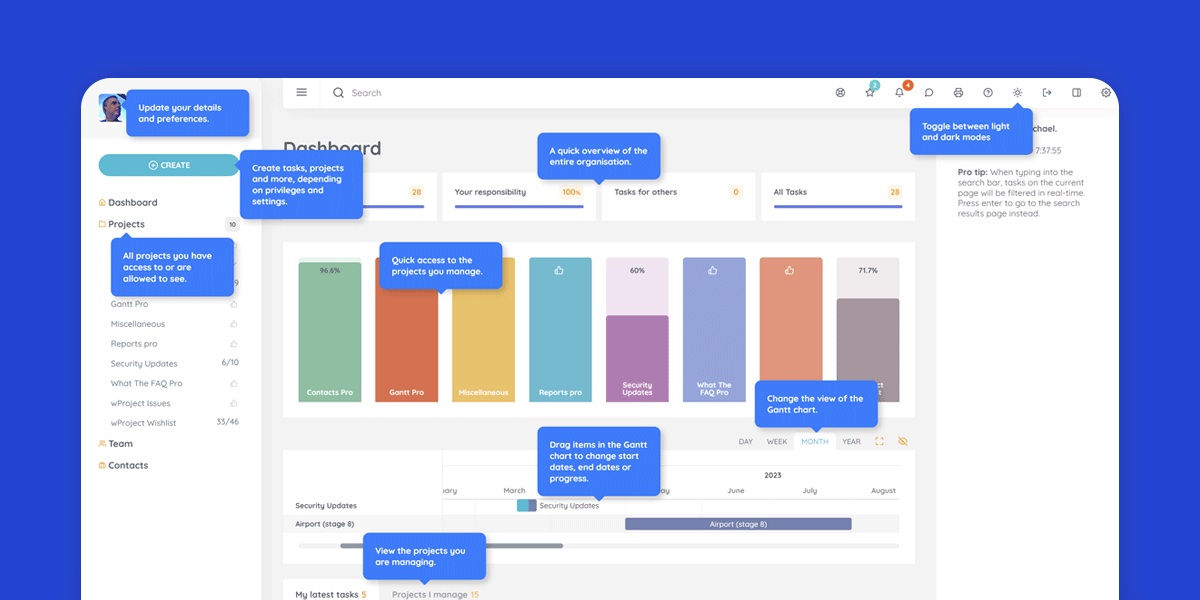
The Tour Guide plugin offers an easy way to understanding the wProject interface while using it.
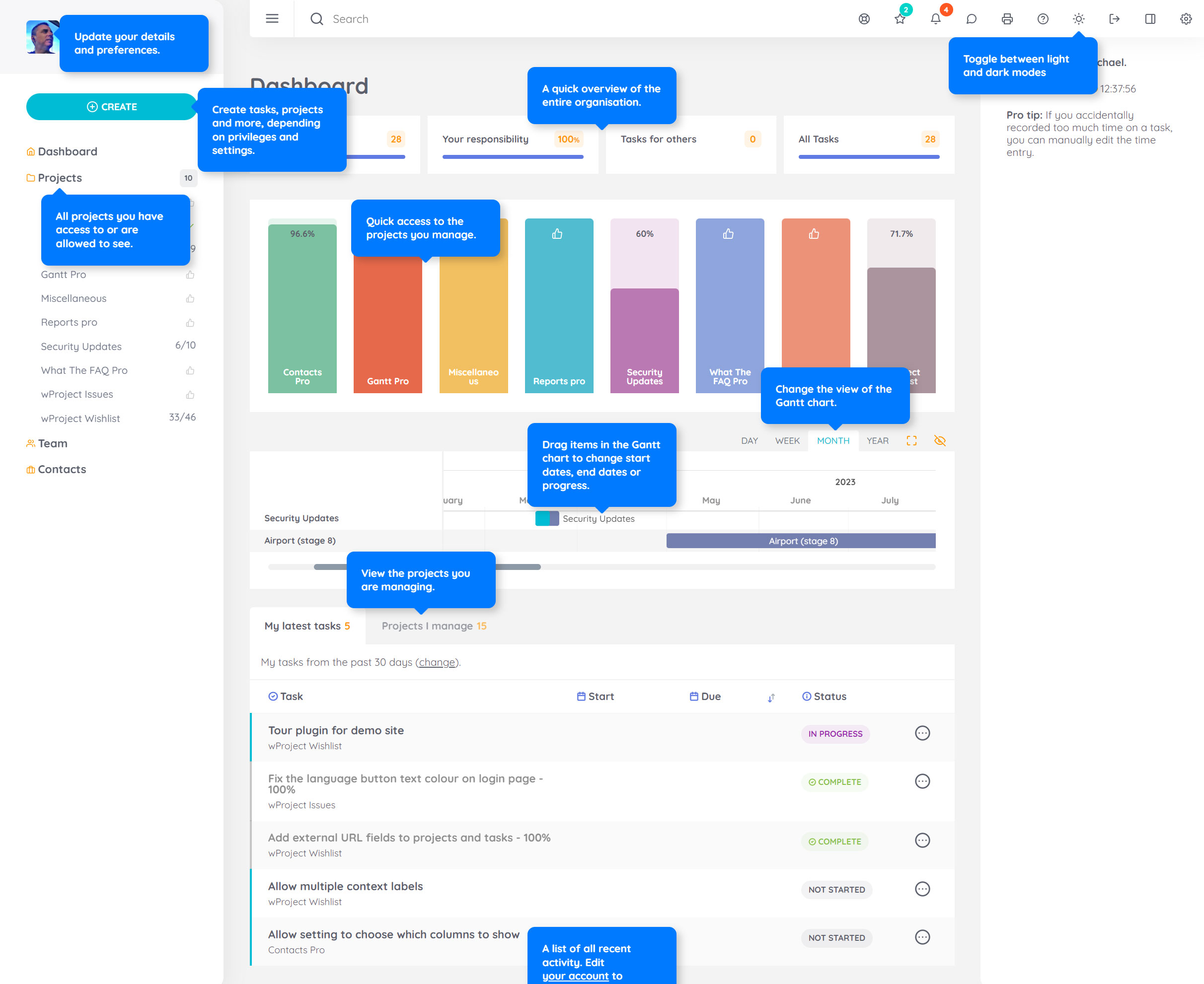
When you click the lifebuoy icon, specific user interface elements will show a description, making it easier to learn how to use wProject. The highlighted elements and descriptions will be different for the dashboard, projects and task pages.
It is most useful for users who are new to using wProject.
The descriptions can be clicked to dismiss them.
What roles does it work with?
All wProject roles are supported:
- Administrator
- Project manager
- Team Member
- Observer
- Client
- Operator
Where are the settings?
This plugin does not have any settings. Just activate it and you’re done. If you no longer want to use it, just deactivate the plugin.
How much does it cost?
This plugin is 100% free forever, no strings attached.
Changelog
v1.0.1 (6th December 2023)
- Fix: Potential issue that could see an error on the backend when certain plugins are enabled.
v1.0.0 (23rd June 2023)
- Initial release.

- Version: 1.0.1
- Updated: December 6, 2023
- Required: 5.0.0
- Made for:

New! Pay in 4 with PayPal
Split 4 payments over 6 weeks

Help Topics