Why wProject is a smart pick and why you’ll actually enjoy using it
If you’ve been wishing for a smarter, simpler way to run projects, this is it.

If you’re anything like me, you’ve tried juggling tasks, deadlines, people and time tracking across multiple apps, and felt like you needed a project manager just for that. Don’t get me wrong, there are some great tools out there to make things easier, but in my experience most of them have outdated user interfaces and cumbersome experience paradigms, or are bloated with unwanted extras that you pay for even if you don’t use them.
It’s for this reason that many years ago I decided to build wProject. For the uninitiated, wProject is a WordPress theme built from the ground up for easier project management. Since it’s launch, I’ve used it to manage the production of every product I have ever built.
While I did initially build it for myself, I also designed it be a project management workspace that any team will want to use. Think Kanban boards, timelines, tasks, sub-tasks, time tracking and more all in one place.
Out of the box you get:
- Kanban board: Change task statuses with simple drag and drop.
- Gantt chart: Visualise progress and spot bottlenecks (there’s a Pro version also available).
- Tasks & subtasks: Break big jobs down into manageable pieces.
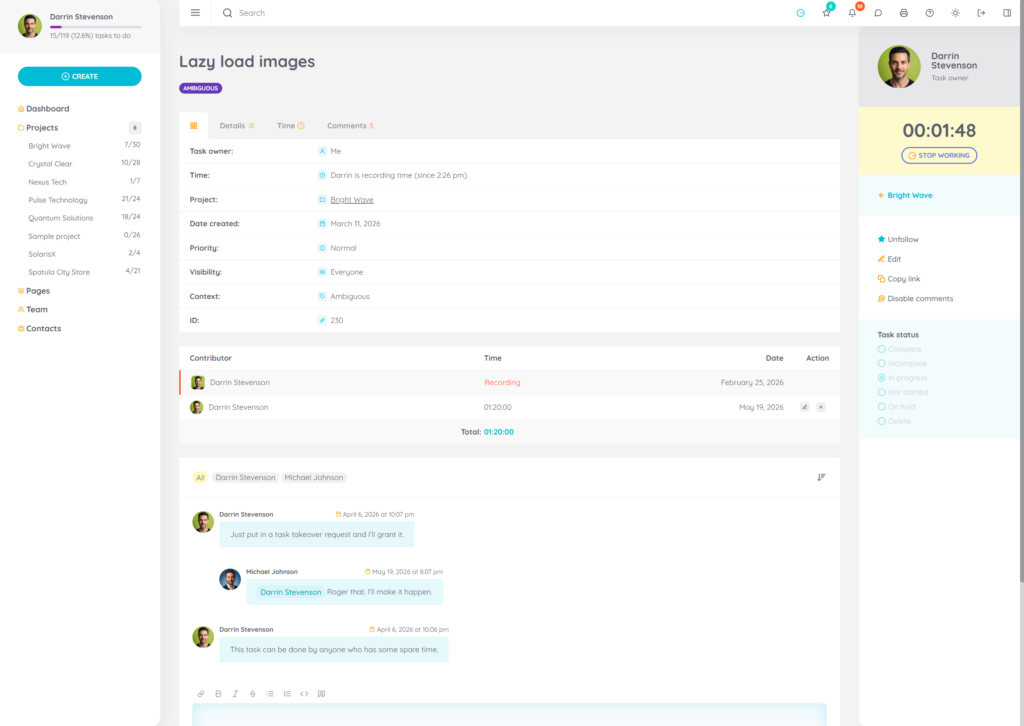
- Time recording: Log and edit time, and keep everything accountable.
- Light & dark modes: I prefer light mode, don’t judge me.
- Optional add-ons: If you need further functionality, check them out.
- Thorough documentation: Step-by-step instructions if you even need them.
- Priority support: Fast response, no later than 24hrs, but usually much sooner.
Fun fact: team members work on the front end so they don’t have to wrestle with the WordPress backend to get stuff done.

Designed for Easy Workflows
A lot of project tools quickly become cumbersome when you actually try to use them. But wProject feels different because I built it with typical project workflows in mind:
Hers’s some features:
- Reassign tasks when plans change (and optionally allow users to re-assign their own tasks).
- Set priorities and due dates without jumping between endless screens.
- Communicate and collaborate on tasks.
- Attach files to tasks.
- Add sub-tasks to any task, tick them off as you complete them.
- Follow specific tasks you want to keep an eye on.
- Record time on individual tasks with a single click.
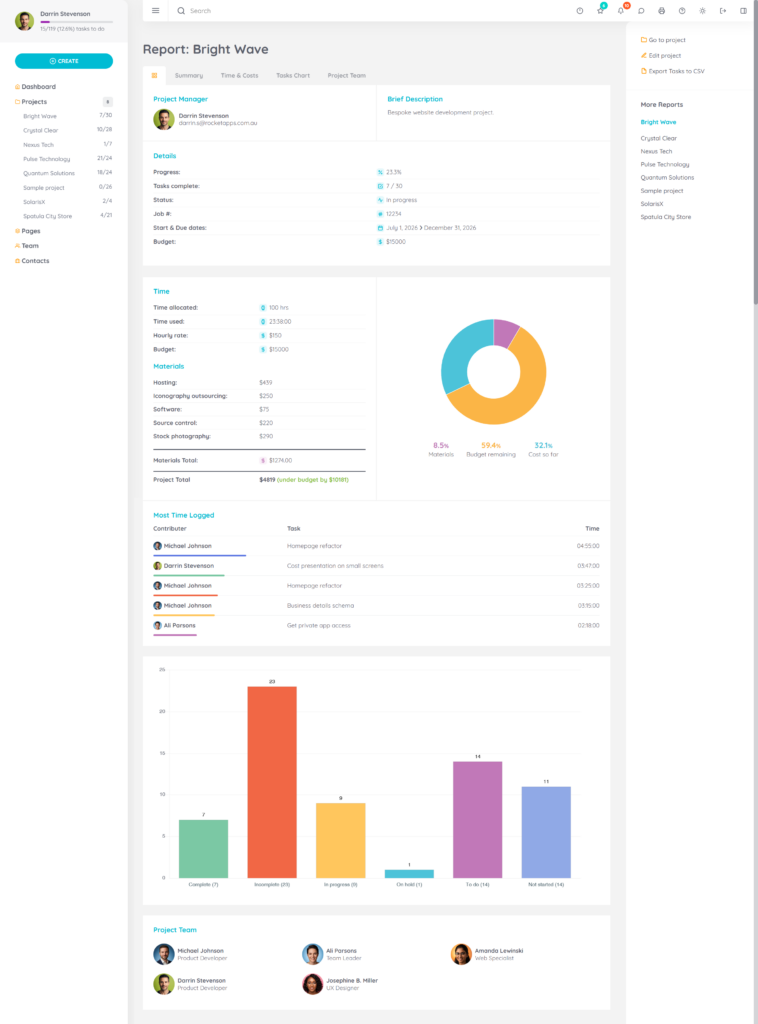
- View project reports (add-on required).
- Hide your tasks from other users.
- Set specific tasks as milestones.
- Give tasks a priority.
- Specify task start and end dates.
- Add material costs to tasks.
- Specify task relationships.
- Add task groups to projects (think of this like a project template, where you can start a new project that has a pre-defined set of tasks automatically created).
- Add time and monetary budgets on projects.
- Track project material costs.
- Archive old or completed projects.
Team-Friendly
wProject is about real collaboration. You can:
- Let clients see just the projects you want them to see (with add-on).
- Comment on tasks and use mentions in comments.
- Assign pre-defined roles to team members.
- Send automatic notifications.
All this makes wProject a lightweight and capable project hub.
Simple Setup, No Risk
Unlike plugins that bolt on clumsy features, wProject is a theme. You install it on a fresh WordPress instance and configure the options you want. Most users are able to jump right in and figure out how most things work, and there is also a bunch of FAQs if you need them.
Also included:
- 12 months of updates and support (no obligation to renew)
- A 30‑day money‑back guarantee
- Optional add‑ons if you want to take it even further
The refund guarantee alone takes the risk out of the decision. And if wProject is not what you’d hoped for, you can get your money back within 30 days no questions asked.
Advantages of Hosting wProject Yourself
- Full Control Over Your Data
Don’t trust cloud providers with sensitive info? Everything stays on a server of your choosing. - No Monthly SaaS Fees
Instead of paying a subscription for every team member like most PM tools, wProject is a one-time purchase. - Better Security Control
You dictate the security rules and backup operations (usually handled with plugins). - Scales With Your Business
Regardless of your team size, you can host unlimited projects and users. - Internal Flexibility
You don’t have to put it out there on the internet. Some users (myself included) run wProject on an internal server.
You can try the online demo if you want to see what all the fuss.
More Articles
Mike Ott
Michael is a veteran developer / web designer / usability evangelist, product engineer, former long time serving Judge for the annual Australian Web Awards and card carrying geek.
 Somehow it’s been 12 years since I started Rocket Apps
  The decades-long enshitification of the PayPal user experience
  Spot Trends Instantly: Heat Map Now in Entry Reports Pro
  Introducing New User Verify
  How I’m stopping spam bot signups, and how you can help